Show your coding agent
what you mean.
Select an element in your running app and tell your coding agent what to change. Run it from the browser, then review the result in place.
bun add -d usenudgenpm install -D usenudgepnpm add -D usenudgeWorks with your coding agent




Try a nudge
orbit.local / overview · Interactive exampleMonday, November 16
Workspace overview
Give this button more breathing room.
#publish-button Revision 1
The context is ready.
Ask your agent to read Nudge annotations. It fetches the element context through MCP and edits with its usual tools.
list_annotations → get_annotationIncreased the button's horizontal and vertical padding.
Your agent reports the change. You decide whether it’s right.
Built for your stack
Use Nudge in your existing Vite or Astro project.






From request to review
Request a change, follow your agent’s progress and review the result in your running app.
- Point at itSelect an element in your running app and describe the change.
- Your agent makes itCodex, Claude Code or OpenCode runs in your project, started from the browser.
- Review it in placeCheck the result on the page, then accept or ask for another pass.
Your request,
right next to the result.
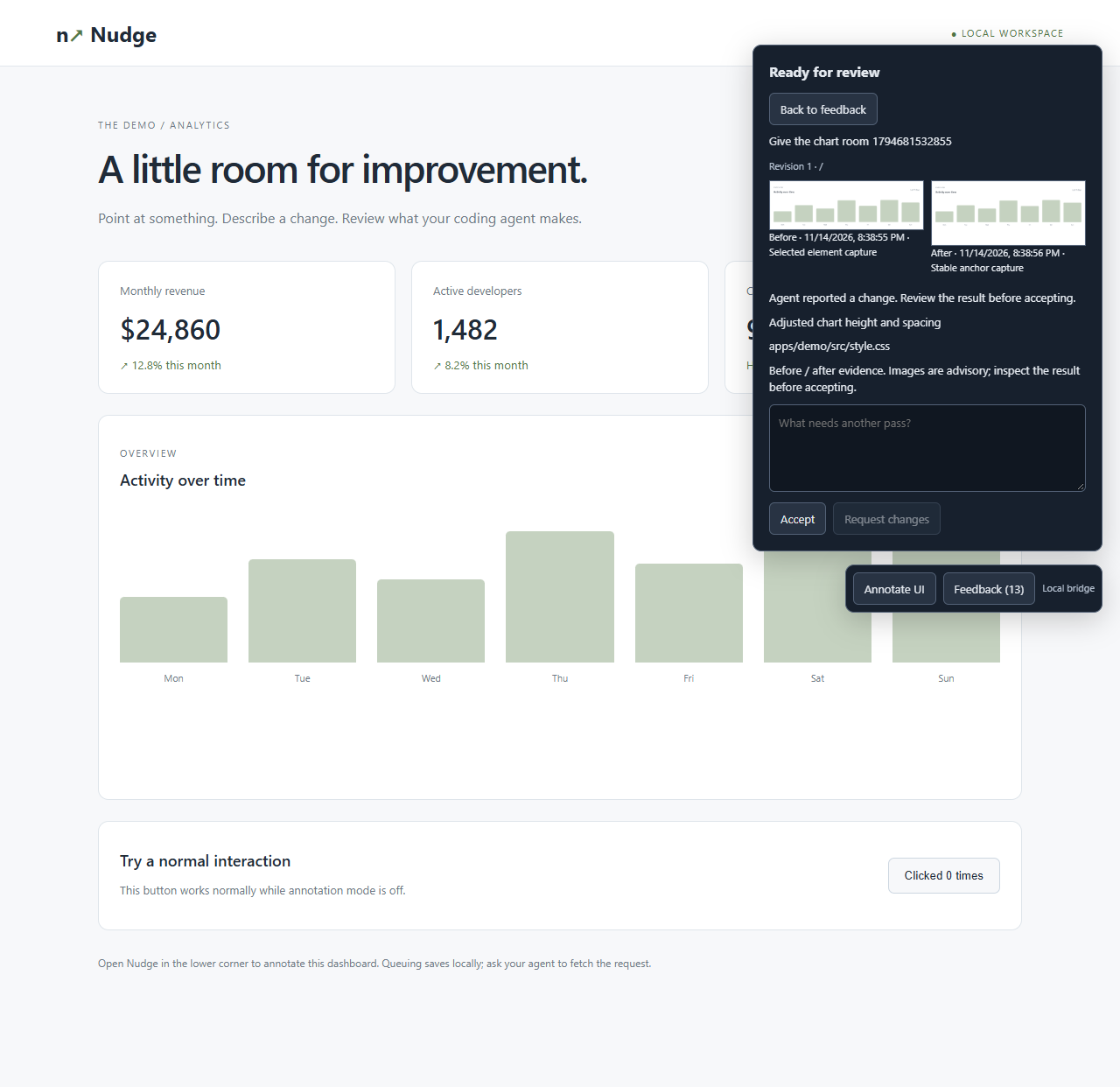
When your agent finishes, return to the element you pointed at. Read what changed, check it in your app, and decide what happens next.
Accept it, or ask for another pass.Your request and revision history stay together. Optional snapshots give you another way to compare.
Your project.
Your tools.
Requests, history and optional snapshots stay in your project's local .nudge/ folder. Start Codex, Claude Code or OpenCode from Nudge, using your agent's own settings and approvals. Your agent may send context to its model provider.
A few things
you might ask.
Everything else is in the Docs.
Which projects does Nudge work with?
Nudge supports standalone local Vite apps, including React, Vue and Svelte projects, and Astro. Next.js support is coming soon. Bun is required to run Nudge, even if your project uses another package manager. See the requirements.
Which coding agents can I use?
Choose Codex, Claude Code or OpenCode and start a session from Nudge. Your agent keeps its own authentication, settings and approvals. These integrations are in preview; live authenticated runs still need validation. Learn about agent setup.
Does my data leave my computer?
Nudge stores requests, history and optional snapshots in your project's .nudge/ folder. Your agent may send request and project context to its model provider. Read the privacy guide.
How do I get started?
Install Nudge in your app, configure your agent, and start your dev server through Nudge. The package is currently an unpublished preview installed from a local archive. Follow the setup guide.